

QR Codes on Swag: Size, Placement and Tracking That Works


Yes, you can put a QR code on a T-shirt, mug, tote or notebook, and it will scan if you get four things right: size, contrast, placement and a clear reason to scan. The code itself is the easy part. What decides whether your swag drives traffic is the call to action printed beside it, the page it opens and whether you can trace scans back to the campaign. This guide covers each step for marketing teams ordering branded items in bulk.
TL;DR
- Print a code at least 2 × 2 cm (about 0.8 inch) on small items, and go much larger on apparel. Use dark modules on a light, flat, matte area.
- Put the code on the flattest surface, away from seams, zippers and curves, and keep a clear border around it.
- Add a specific call to action and a short URL. A QR code with a specific call to action is 14% more likely to be scanned than one without.
- Link to a mobile-first page that matches the promise on the item, and add UTM parameters so scans do not vanish into “direct” traffic.
- Test a physical sample on iPhone and Android before approving the full run.
Table of Contents
- Can you put a QR code on swag?
- Size and contrast: the numbers to plan around
- Where to place the code on each product
- Give people a reason to scan
- Build the page people land on
- Create, test and track the campaign
- Mistakes that waste a swag run
- Which tool should you use to make the code?
- Our perspective
- Order QR-ready swag in bulk
- FAQ
- Sources
Can you put a QR code on swag?
Yes. Apparel, drinkware, bags, notebooks and tech accessories can all carry a scannable code. The limits come from the decoration method and the surface. A code is a grid of small squares called modules. Anything that blurs, stretches or breaks those squares, such as a curved mug wall, a stretchy fabric or thin embroidery thread, reduces the chance of a clean scan.
That is why the same artwork can work on a tote and fail on a pen. Plan the code around the product, not the other way around. If you are building a kit with several items, treat each item as its own placement problem.
Size and contrast: the numbers to plan around
Published guidance varies by product and print method, so treat the figures below as starting points and confirm them with a physical sample.
| Item | Starting size | Notes |
|---|---|---|
| T-shirt (chest or upper back) | 8 to 10 cm (3 to 4 inches) wide | EzyIMG’s guide recommends this range; UseQR’s documentation says at least 10 cm square on the chest |
| Tote bag | 10 cm or more | Large flat panel, away from handles and seams |
| Mug, notebook, small items | 3 to 4 cm | Supercode puts the absolute floor at 2 × 2 cm |
Two rules help you size for the real world. First, the common rule of thumb is that a code scans from about ten times its width, so a 10 cm code works from roughly one meter, according to EzyIMG. If people will scan a banner or a shirt across a table, size up. Second, keep a blank border, called the quiet zone, of at least four modules on every side, as QRPlify recommends. Do not let a graphic, a logo or a seam touch it.
Contrast matters as much as size. Use dark modules on a light background. On a dark shirt, print the code on a light patch rather than inverting it. UseQR advises a dark code on a light panel and testing the garment worn, because drape curves and stretches the grid.

Decoration method
The way you decorate the item changes how small the code can go. According to EzyIMG, screen printing gives crisp edges and strong contrast on large runs, heat transfer or vinyl can crack over time, and direct-to-garment ink can soften fine detail so you need a larger code. Embroidery is the hardest option for a QR code, because thread width limits detail. If your design depends on embroidery, put the code on a woven label, a hang tag or a card inside the package instead.
Where to place the code on each product
The rule is simple: flat, visible and away from anything that distorts the grid. Supercode’s placement advice is a useful baseline:
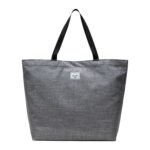
- Apparel and totes: front, at chest height. Avoid seams, zippers and curved areas.
- Mugs and tumblers: the flattest part of the wall, never wrapped around the curve. Keep the code small enough to sit flat in the print area.
- Notebooks: back cover or inside front page.
- Tech items and pens: usually too small or curved. Put the code on the box, sleeve or insert card instead.
This is where custom packaging earns its place. A card in the box gives you a flat, high-contrast surface and room for a clear message, which a pen barrel never will. A branded kit can carry one code on the box lid and keep the items themselves clean and simple.
Give people a reason to scan
A bare code has no pull. The Nielsen Norman Group points out that QR codes have no information scent, so they need context such as a short URL, a label or company branding to convince users to scan. A logo alone is not enough. NN/g also says QR codes are poor at promoting a website itself, because people may not notice or remember the address. Show the URL next to the code and deep-link to a specific page rather than a homepage.
The wording near the code matters. Flowcode’s testing found the 14% lift mentioned above and suggests prompts like a discount offer or “Scan to shop.” Other vendors report larger gains from a labeled code, but those figures come from their own marketing guides, so treat the direction as reliable and the exact percentage as a rough guide.
Write for one action. “Scan for the full schedule” or “Scan to join the loyalty list” is better than a generic “Scan me,” as QR Code Handbook advises.
Ideas that give the scan a payoff
- Event swag with a second life: link to session recordings, behind-the-scenes footage or a post-event survey. QRCodeSunlimited’s guide lists these along with scavenger hunts and discount offers.
- Employee or customer onboarding kits: a code on the welcome card that opens a setup video or benefits page.
- Trade show giveaways: a code that opens a demo booking page, not your homepage.
- Apparel with a story: Smler describes traceable jackets whose codes showed where materials came from, and people scanned because the content was worth finding.
- Time-limited content: a code that points to a destination you can update after printing, so one run of swag can support more than one campaign.
For more examples of how teams are using QR codes alongside other channels, see these digital marketing trends worth acting on.
Build the page people land on
Every scan is a phone visit. If the page is slow or cluttered, the swag did its job and the page wasted it. Several landing page guides converge on the same checklist:
- One destination per promise. If the shirt says “Scan for the schedule,” the page shows the schedule. NN/g recommends deep links over generic homepages.
- Fast. OpenQR recommends loading in under 2.5 seconds on mobile 4G, with key content above the fold and one primary call to action.
- Thumb-friendly. TheQRCode.io suggests tap targets of at least 44 × 44 pixels, 16 px body text and no horizontal scrolling.
- Short forms. Limit fields to two or three. Ask for an email, not a full profile.
- No popups, no carousels. Keep one column and a few sections.
Design the page on a phone first. A desktop page squeezed onto a small screen is the most common way a good code ends in a bad experience. If the page is also part of a longer content plan, a case study on growing organic clicks shows what a focused, well-matched destination can do over time.
Create, test and track the campaign
Create a dynamic code with UTM parameters
Use a dynamic code, one whose destination you can change after printing, so a typo or an expired offer does not mean reprinting 5,000 items. Add UTM parameters to the destination, for example ?utm_source=qr&utm_medium=print&utm_campaign=spring, as QRKit suggests.
This step is not optional if you report to anyone. According to Cuttly, QR scans send no referrer, so without UTM parameters every scan shows up in Google Analytics 4 as direct traffic.
Give each item its own code. QR Code Handbook suggests a naming convention such as merch-tote-2026-summit, so you can roll up scans by item, event and year, and use the results before the next reorder.

Test before you print
A proof on a screen proves little. Before the full run:
- Scan a printed sample with an iPhone and an Android phone, in the lighting where people will actually scan.
- Confirm the short link opens, the final page loads and the UTM parameters survive the redirect, as T.LY recommends.
- Complete the intended action, then check the scan appears in your QR platform and in GA4.
- Scan the item from the real distance, worn or in hand, not flat on a desk.
For apparel, order a sample, wear it and scan it. Fabric moves, and a code that scans flat can fail on a shoulder.
Measure what the swag earned
Define the conversion first: a demo request, a signup, a download. Then calculate scan-to-conversion rate and cost per conversion by dividing total campaign cost by conversions attributed to QR traffic, the framework Cuttly lays out. Compare items. If mugs never get scanned and totes do, your next order tells you where to spend.
Mistakes that waste a swag run
- One code on everything. You lose the ability to tell which item worked.
- No label or URL. People have no reason to pull out their phone.
- Printing too small. Strativera calls sizing the most common print failure and recommends dividing scan distance by 10 to get the minimum width.
- Low contrast or crowded edges. Light code on dark fabric, or artwork touching the quiet zone.
- A desktop homepage as the destination.
- Never reading the data. If nobody reviews scans, the code is decoration.
Which tool should you use to make the code?
For print, you need a vector or high-resolution export (SVG, PDF, EPS or a large PNG) so edges stay sharp when scaled. You also want the option of dynamic codes with analytics. QRBliss’s roundup compares free generators on those points. ChatGPT can write a URL with UTM parameters for you, but use a dedicated generator for the artwork, then test the exported file as printed.
Our perspective
Most swag fails the same way: it carries a logo and nothing else. A code gives the item a job after the handout, but only if the whole piece is planned together, from the item to the card in the box to the page on the phone.
We build programs around that idea. Our approach is curated quality from trusted suppliers, with the decoration options a code needs to scan well. We also handle distribution to a single address or many locations, so the item you tested is the item people receive. When a launch date is tight, our rush orders keep the plan intact without cutting the testing step.
Our advice to marketing teams: pick one product where the code placement is natural, give it one clear action, and track it with its own UTM. Then scale what scans.
Jerry
Order QR-ready swag in bulk
If you are planning a campaign, we can help you put the pieces together: apparel, drinkware, bags, technology and office items, plus fully custom branded boxes and branded kits that give a code a flat, clean surface. We ship to one location or many and support rush orders. We also guarantee 10% or more savings against any competitor’s online price.
Browse customizable promotional products at Discountswag and start your next order.
FAQ
Can you put a QR code on a T-shirt?
Yes. Print it at a size guidance puts at 8 to 10 cm or larger, with dark modules on a light patch, on a flat area of the chest or upper back away from seams. Screen printing gives the sharpest edges on large runs. Always scan a worn sample before approving production.
How big should a QR code be on promotional items?
For small items such as mugs and notebooks, plan on 3 to 4 cm, and never below 2 × 2 cm. For shirts and totes, go to roughly 8 to 10 cm or more. A useful rule is that a code scans from about ten times its width.
How do you track scans from QR codes on swag?
Use a dynamic code and add UTM parameters to the destination URL. Without them, scans appear as direct traffic in Google Analytics 4. Give each product its own code so you can compare items.
What should a QR code on swag link to?
A specific mobile page that delivers exactly what the item promised, such as a schedule, an offer or a video. Avoid sending people to a general homepage. Show the short URL beside the code so the destination is clear.
Can ChatGPT generate a QR code for printing?
It is better to use a dedicated QR generator that exports SVG, PDF or a high-resolution PNG. Use ChatGPT for the call-to-action wording or the UTM naming. Then test the printed sample.
Sources
- NN/g: 13 QR-Code Usability Guidelines
- Flowcode: Best practices for design, size and placement
- UseQR: How to put a QR code on a T-shirt
- QRPlify: QR Code T-Shirt
- EzyIMG: QR Code on T-Shirts and Merch
- Supercode: QR Codes on Merchandise
- QR Code Handbook: QR Codes on Merchandise
- QRCodeSunlimited: QR Codes for Event Swag
- Smler: QR Codes on T-Shirts
- OpenQR: QR Code Marketing Strategy
- TheQRCode.io: QR Code Landing Page Best Practices
- QRKit: QR Code Marketing
- Cuttly: How to Track QR Code Scans
- T.LY: How to Track QR Code Campaigns Before You Print
- Strativera: QR Code Tracking in GA4
- QRBliss: Best Free QR Code Generators
- Digital marketing trends
- Organic clicks case study
 Bottle Carriers
 Mugs